 Forms
Forms 





News and Updates
How technology can reduce distracted driving on our roads
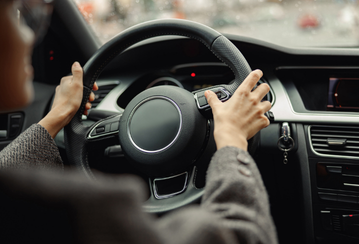
Think about the last time you were in your vehicle. Did you swing by a drive-thru and eat your breakfast behind the wheel? When your phone rang, were you tempted to pick it up? How often did you reach over to change the music or adjust the temperature? Multitasking has made its way into nearly everything we do, including driving. However, multitasking behind the wheel, also known as distracted driving, can quickly turn a safe trip into a fender bender. Let’s explore some technology and tools that can help you keep your hands on the wheel and your eyes on the road.
Pair your phone with your vehicle’s Bluetooth
Most new vehicles come equipped with Bluetooth technology, making it easy to connect your smartphone. Once paired, you can operate your phone using your vehicle’s control panel or steering wheel buttons, and there’s no need to touch or look at your device. This setup conveniently lets you make calls, play music, and use GPS.
Pro tip: While hands-free calls keep your eyes on the road, it still distracts your mind. Avoid making calls while driving whenever possible. If you need to make a call, pull over safely or wait until you’re parked before dialing.
Make the most of voice commands and voice-to-text
Today’s vehicles and smartphones put the power of your voice in the driver’s seat. With just a simple command, you can set the perfect cabin temperature, get instant directions, or queue your favourite playlist, all without taking your hands off the wheel. Advanced voice-to-text and text-to-speech features let you send and receive messages effortlessly while you drive. You can hear your texts read aloud and respond naturally to keep your focus on the road.
Master your vehicle’s steering wheel controls
Have you taken some time to learn what each button on your steering wheel does? Modern steering wheels often feature controls for Bluetooth devices, entertainment systems, climate settings, cruise control, voice commands, and more. These handy buttons are designed to help you quickly adjust things without taking your eyes off the road. To understand the function of each control, review your vehicle’s owner’s manual.
Set up ‘Do Not Disturb’ on your smartphone
Imagine you’re cruising down the road when your phone buzzes with a new notification. The urge to check it is tempting, but looking away can lead to hefty distracted driving fines or even careless driving charges. If you want a distraction-free drive, try turning on your phone’s ‘Driving Focus’.
This handy feature silences or limits text messages and other notifications, so you can keep your attention where it belongs, on the road ahead. When you have the ‘Driving Focus’ set up, you’ll have messages read aloud, and calls will only come through when your phone is connected to your vehicle’s Bluetooth. It’s a simple step that can make every drive more relaxed and much safer.
Pro tip: If you need your phone for directions, make sure it’s securely docked on your dashboard. This way, you can check your route at a glance without fumbling for it or looking down.
Effectively using hands-free technology can help you avoid distracted driving and reduce the risk of accidents by keeping your hands on the wheel and your eyes locked on the road. However, remember that even activities like using steering wheel controls to find your favourite song or fine-tune the AC can still distract you from driving. For the safest journey, adjust the temperature, set your navigation, and queue your playlist before shifting into drive.
Considering an upgrade to a newer vehicle equipped with advanced technology? If you're a current OTIP policyholder, contact us at 1-833-494-0090 to review your existing auto insurance policy. If you're not insured with OTIP and are shopping for auto insurance, call us at 1-888-892-4935 to get a quote and receive a $20 gift card of your choice!