Forms
Forms 





News and Updates
My Member Account – your new digital experience!
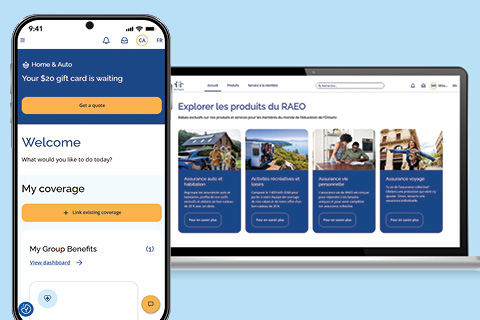
Introducing My Member Account - your all-in-one portal for managing your insurance coverage with OTIP.
Access everything you need in one simple, secure place. Our new digital experience will make managing your benefits, OTIP services, and policies easier.
To access plan and policy information, all OTIP members must register for My Member Account.
If you are an RTIP member, watch this video to learn how to register your member account and link your retiree plan and any other OTIP insurance policies.
If you are an active member of the education community, visit member.otip.com for your registration instructions including a video to learn how to create your new account.
Once registered, you can:
-
Review all your coverage in one place
-
Easily submit claims
-
Access your home and auto policy documents
-
Discover products and services exclusively available to OTIP members
-
Stay up to date with the latest news and helpful articles
-
Connect to EdvantagePerks for discounts on travel, entertainment, and everyday essentials (for applicable groups only)
Are you an RTIP member ready to register?
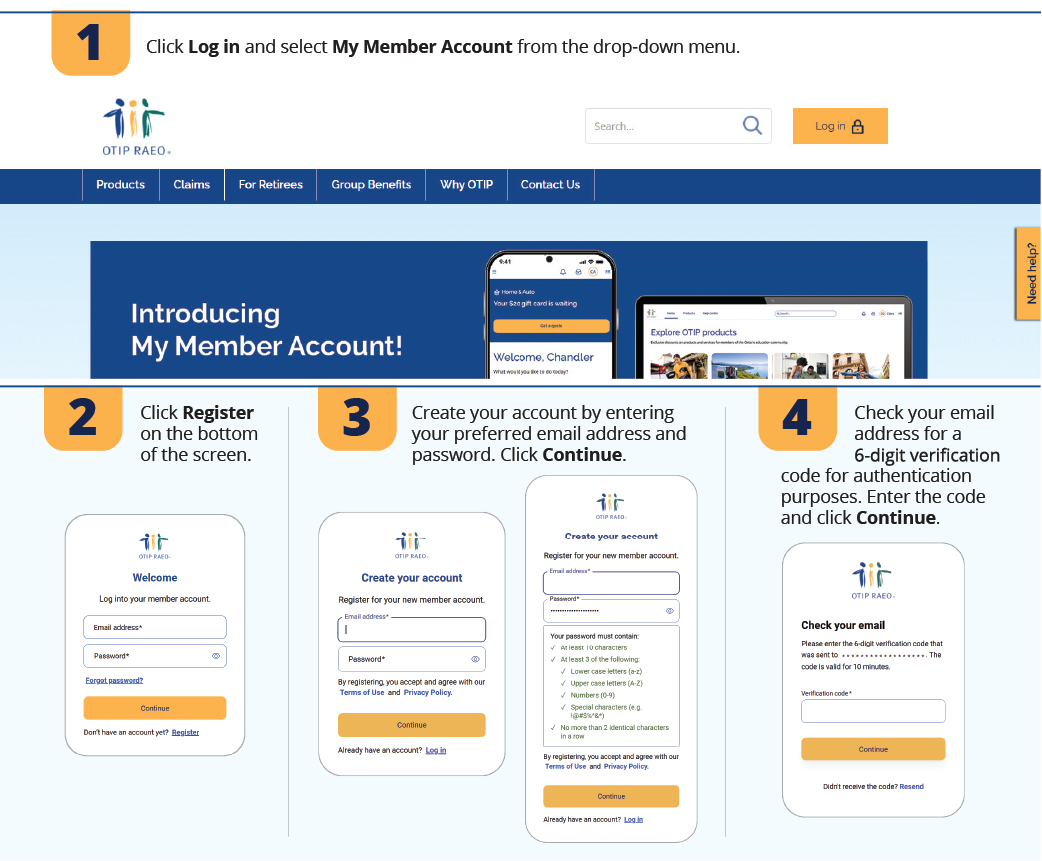
Click Log in at the top of the page and select My Member Account from the drop-down menu to get started.
Need help registering for your new account?
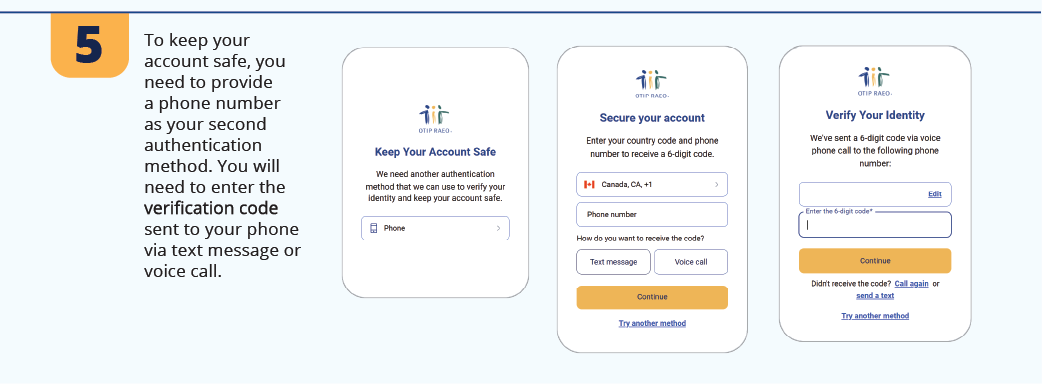
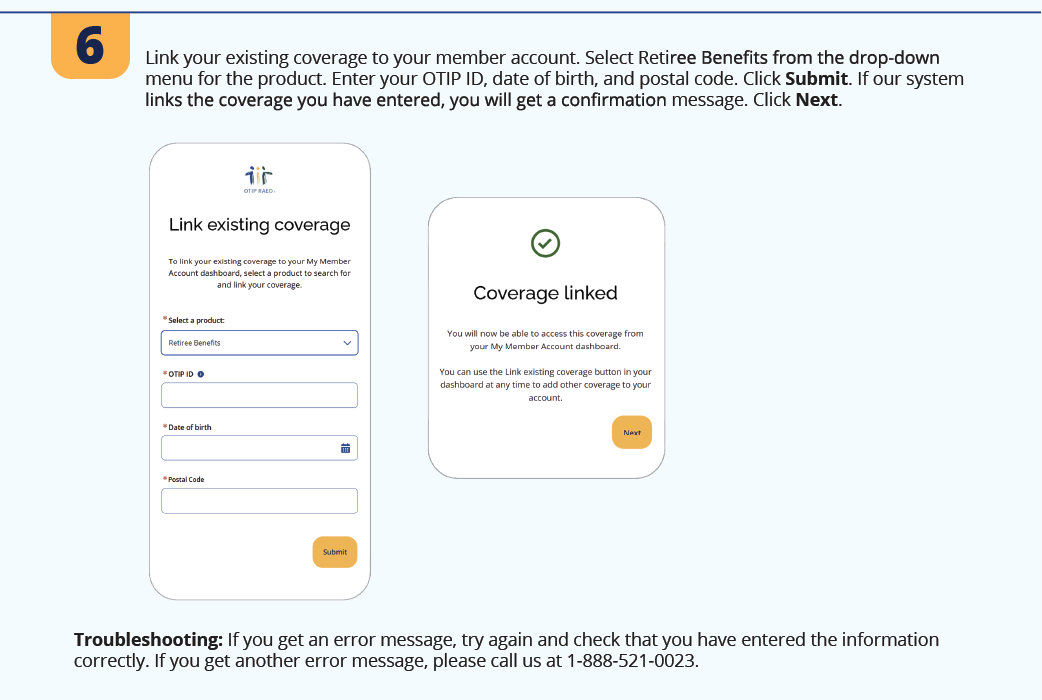
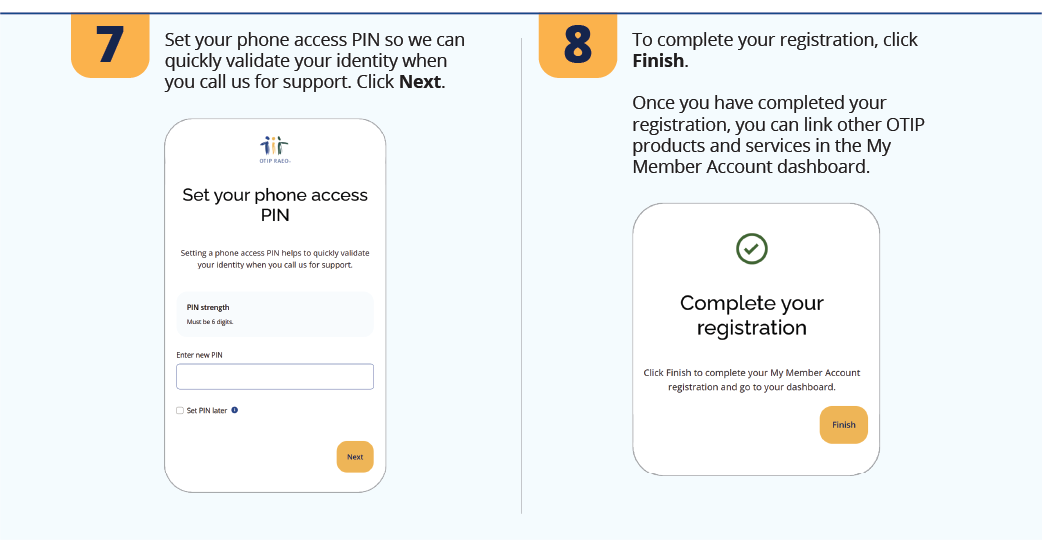
We’re here to help! Check out the step-by-step instructions below for more information on registering your member account.
If you still need further assistance registering, please contact us at 1-800-267-6847.
Thank you for your patience
You may experience longer-than-normal call wait times during this time, and we thank you for your patience. Our teams are working diligently to serve you.
While we’re excited to share our new platform with you, new technology may bring some challenges.
We appreciate your understanding as we work through these fixes and implement our new digital experience to serve you better.
Helpful Tips for RTIP members
-
All members must reregister for My Member Account. If you try to log in with your previous login credentials, it will not work and a password reset email cannot be sent.
-
You can use any preferred email address to register your new account.
-
You can create a new password during registration. There is no default password.
-
When adding your birth date, we highly recommend you use the calendar feature by clicking on the blue calendar icon to select your birth date in the proper formatting required.